mirror of
https://github.com/gnh1201/welsonjs.git
synced 2026-03-14 15:48:45 +00:00
WelsonJS - Build a Windows app on the Windows built-in JavaScript engine
chatgptcoffeescriptdesktopes5html5iejavascriptjsjscriptlolbaslolbinsmicrosoftmshtamshtmlmsofficerescripttypescripturiwindowswsh
| .github | ||
| app | ||
| data | ||
| examples | ||
| lib | ||
| tmp | ||
| WelsonJS.Toolkit | ||
| .appveyor.yml | ||
| .gitignore | ||
| .gitmodules | ||
| .sonarcloud.properties | ||
| app.hta | ||
| app.js | ||
| bgloader.js | ||
| bootstrap.bat | ||
| bootstrap.js | ||
| CITATION.cff | ||
| CODE_OF_CONDUCT.md | ||
| CONTRIBUTING.md | ||
| defaultService.example.js | ||
| encryptor.js | ||
| helloworld.coffee | ||
| helloworld.js | ||
| helloworld.js.enc | ||
| helloworld.ls | ||
| helloworld.re | ||
| helloworld.ts | ||
| installService.bat | ||
| LICENSE | ||
| LICENSE_MSRL | ||
| officeloader.js | ||
| package-lock.json | ||
| package.json | ||
| README.md | ||
| SECURITY.MD | ||
| settings.example.ini | ||
| setup.iss | ||
| shoutcut.js | ||
| startInteractiveService.bat | ||
| testloader.js | ||
| uninstallService.bat | ||
| uriloader.js | ||
| webloader.js | ||

welsonjs





 WelsonJS - Build a Windows app on the Windows built-in JavaScript engine.

Now, You can build an Windows desktop app with JavaScript, TypeScript, CoffeeScript, ReScript, and HTML/CSS on Windows built-in ECMAScript engine.
WelsonJS = Windows + Electron-like + Javascript(JS) + Your contribution
Dual license notice: The default license for this project is GPL 3.0. However, if the GPL 3.0 license is not compatible with Microsoft products, it is subject to the MS-RL license.
Sponsors
- :octocat: GitHub Sponsors
 Open Software Portal, Korea National Industry Promotion Agency - Awarded Prize
 Free code signing provided by SignPath.io, certificate by SignPath Foundation
 F1Security provides web security services designed by industry-leading experts.
- ⚡ Integrations (ScrapeOps, SearchApi, AviationStack, Coupang...)
Structure
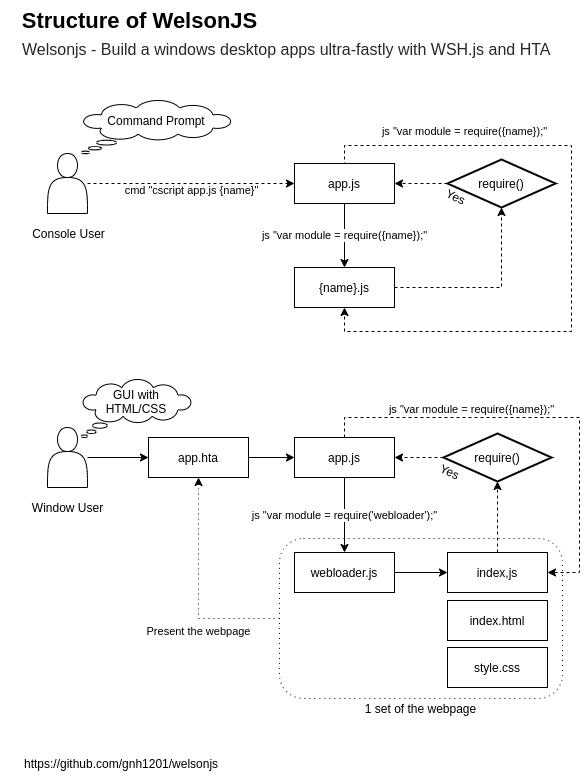
Specifications
- Built-in transpilers: TypeScript, Rescript, CoffeeScript 2, LiveScript
- Ready to use on Windows machine immediately. No require additional software installation.
- ES5(ECMAScript 5), XML, JSON, YAML compatibility
- HTML5, CSS3 compatibility
- CSS Frameworks
- WYSIWYG HTML Editor
- Included libraries
- jQuery
- jQuery UI
- github.com/kamranahmedse/jquery-toast-plugin - Highly customizable jquery plugin to show toast messages
- github.com/hiddentao/squel - SQL query string builder for Javascript
- github.com/BorisMoore/jsrender - A lightweight, powerful and highly extensible templating engine. In the browser or on Node.js, with or without jQuery.
- github.com/mihaifm/linq - LINQ for JavaScript
- github.com/pegjs/pegjs - PEG.js: Parser generator for JavaScript
- github.com/numbers/numbers.js - Advanced Mathematics Library for Node.js and JavaScript
- module.exports, CommonJS, UMD compatibility
- NPM compatibility
- Chrome DevTools Protocol support
- ADB(Android Debug Bridge) support
- RPC(Remote Procedure Call) protocol support
Included modules
- lib/std (Standard library)
- lib/system (System interface)
- lib/base64 (BASE64 encode and decode)
- lib/file (File I/O interface)
- lib/http (HTTP(S) client with XHR(MSXML), cURL, BITS, CERT, Web Proxy, SEO/SERP, and more...)
- lib/registry (Windows Registry interface)
- lib/security (Windows Security Policy interface)
- lib/shell (Windows Shell (Command Prompt) interface)
- lib/powershell (Windows Powershell interface)
- lib/service (Windows Service interface)
- lib/browser (Modern web compatibility layer)
- lib/uri (URI scheme interface)
- lib/winlibs (Windows DLL(Dynamic-link library) interface)
- lib/autohotkey (AutoHotkey interface)
- lib/autoit (AutoIt3/AutoItX interface)
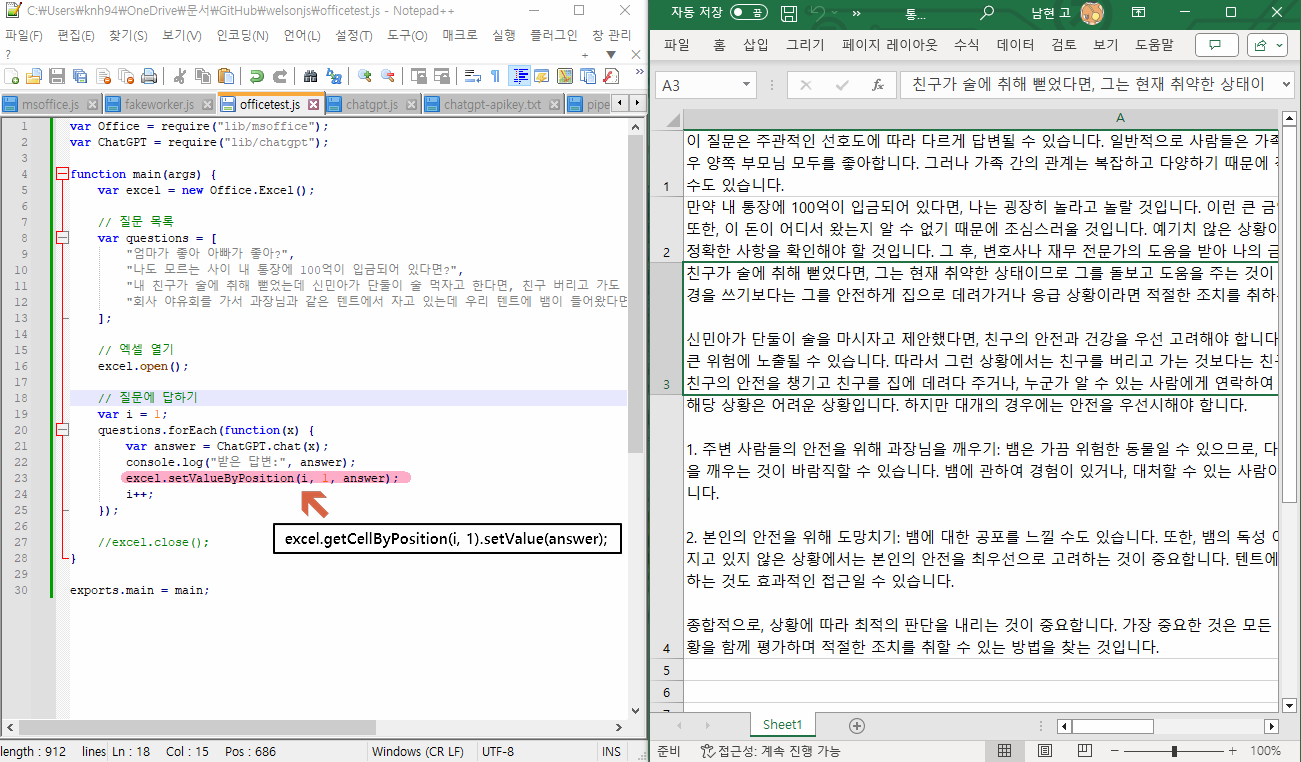
- lib/msoffice (Microsoft Office (e.g. Excel, PowerPoint, Word) interface)
- lib/gtk (GTK-server and GladeXML supported GUI interface)
- lib/chrome (Chrome DevTools Protocol based Chrome/Chromium web browser testing interface)
- lib/pipe-ipc (PIPE (e.g., File IO, Standard IO) based IPC(Inter-Process Communication) implementation)
- WelsonJS.Toolkit (DLL/COM component with .NET 2.0, For all Windows based systems)
- User prompt methods (e.g., alert, confirm) implementation
- Useful tools to control the windows and window handle (find, attach, trigger events. e.g., Virtual Human Interface
- Cryptography (ISO/IEC 18033-3:2010 aka. HIGHT)
- Named Shared Memory based IPC(Inter-Process Communication) implementation #
- NuGet package available
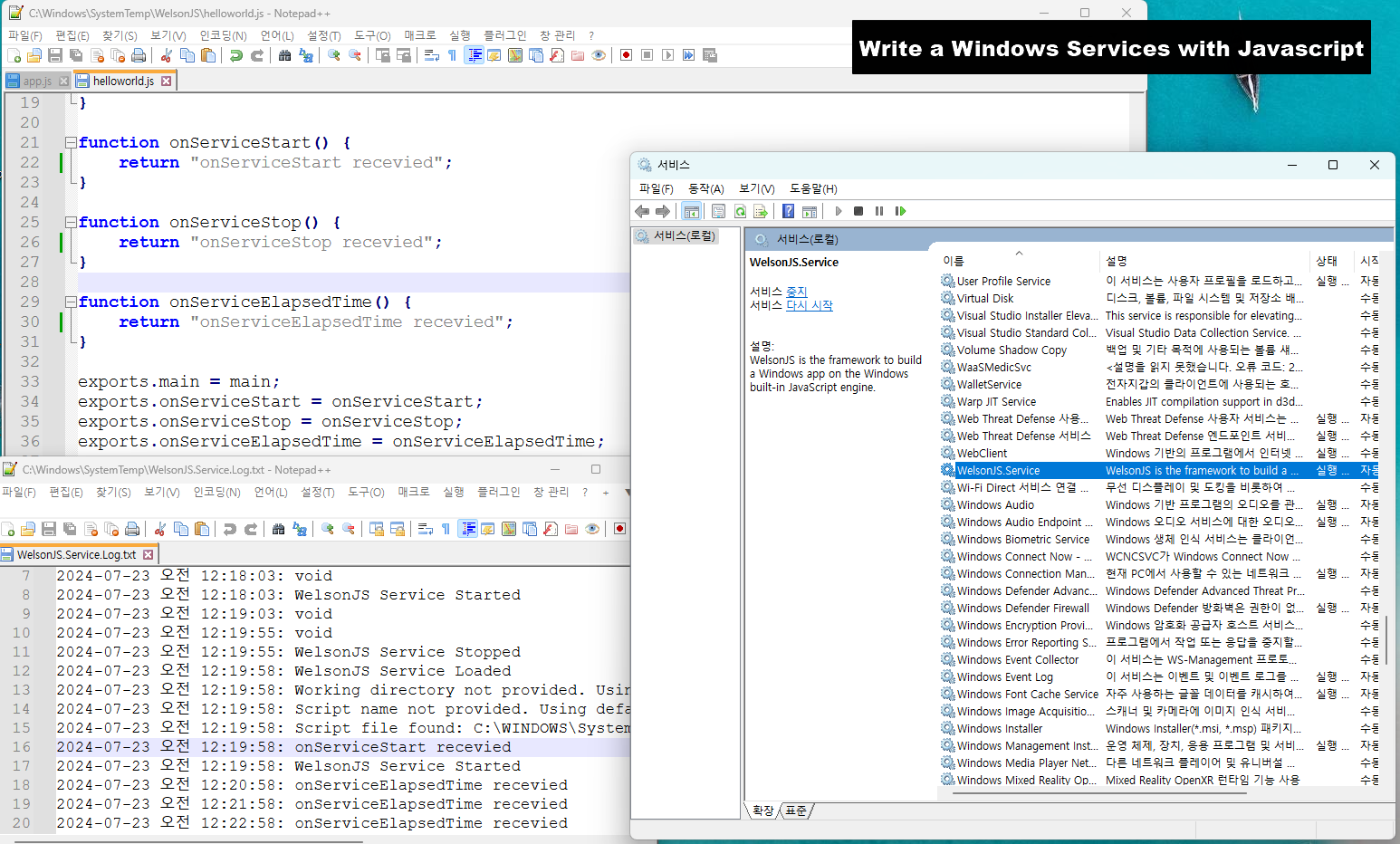
- WelsonJS.Service (Windows Service Application, For recent Windows based systems)
- Write a Windows Service Application with JavaScript
- File Event Monitor: Trace file creation, network connections, and registry modifications.
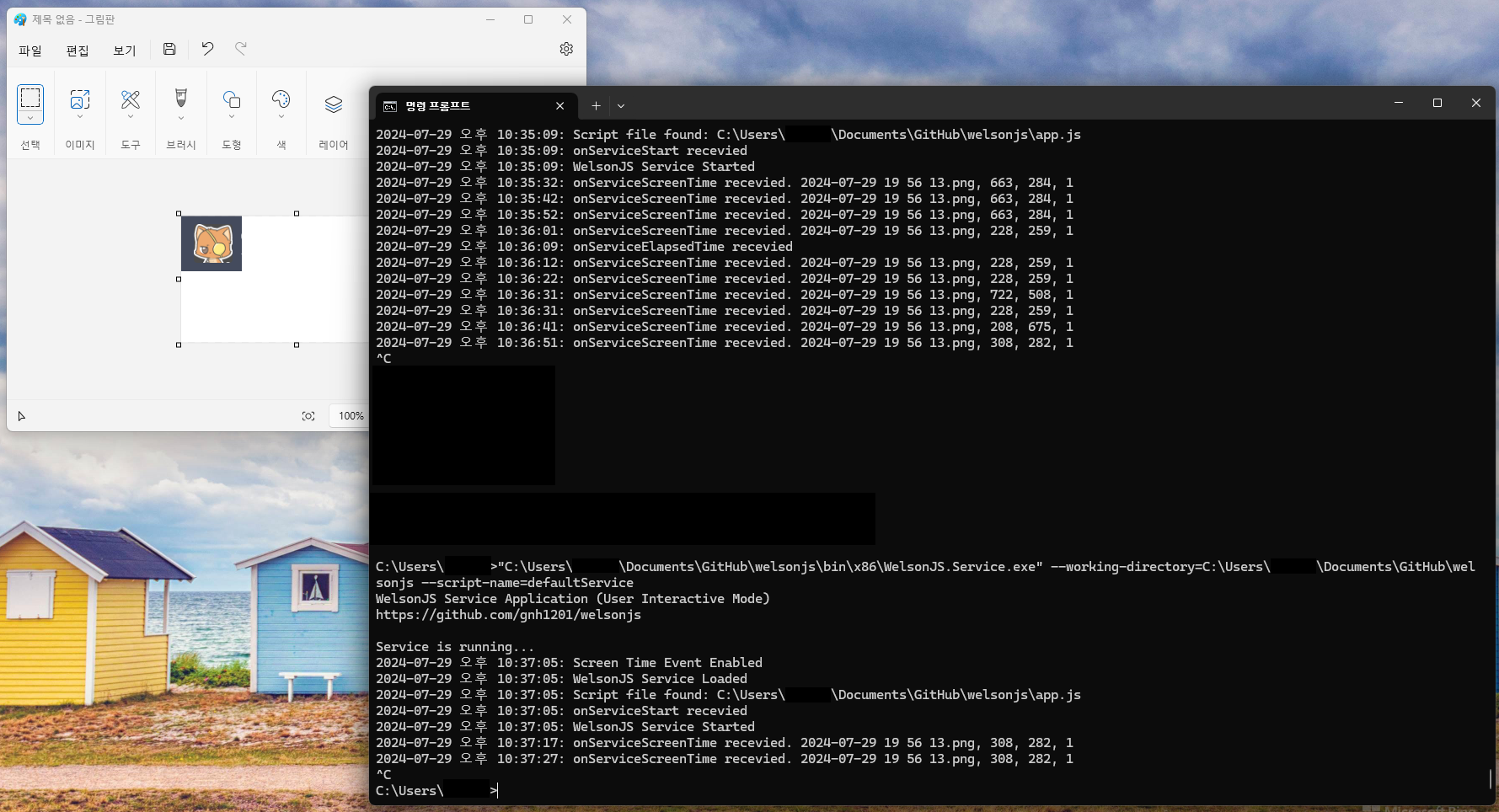
- Screen Time Feature: Find an image position on the computer screens or windows.
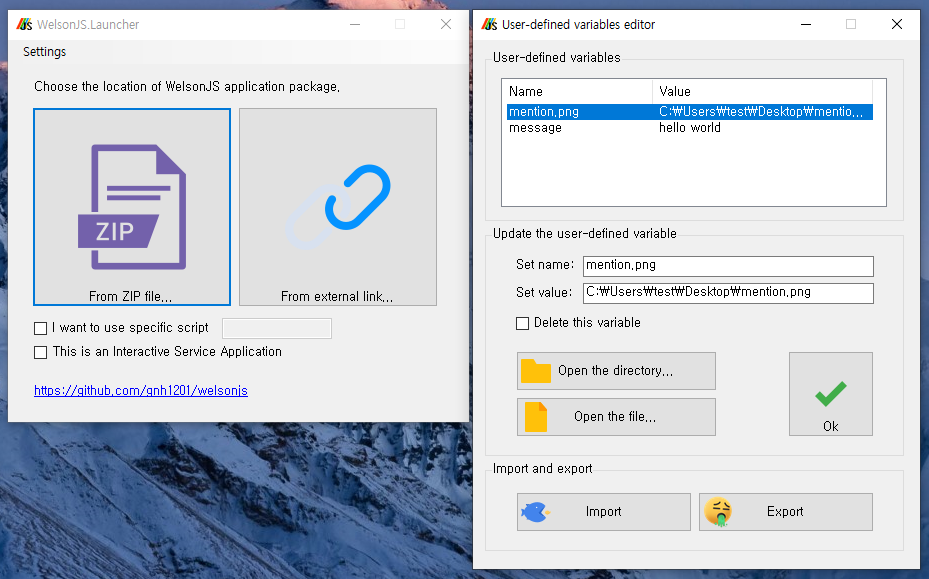
- WelsonJS.Launcher (Launcher Application, For recent Windows based systems)
- This is a launcher app designed to easily distribute WelsonJS application packages (based on ZIP compression files).
- LLM AI services integrations: (ChatGPT, Claude, Grok, LLaMA (on Groq), Gemini, Mistral, DeepSeek, Kimi
- Aviation Data (AviationStack, SearchApi Google Flight) integration
- OVFTool (OVF export tool for Broadcom/VMware virtualization infrastructures) integration
- Everything you can imagine.
Make your own sayhello example
1. Write a file lib/sayhello.js
// lib/sayhello.js
function say() {
    console.log("hello");
}

exports.say = say;

exports.VERSIONINFO = "SayHello Library (sayhello.js) version 0.1";
exports.AUTHOR = "abuse@catswords.net";   // e.g. YOUR EMAIL ADDRESS
exports.global = global;
exports.require = global.require;
2. Write a file sayhello.js
// sayhello.js
var SayHello = require("lib/sayhello");

function main() {
    console.log("calling say()");
    SayHello.say();
    console.log("ended say()");
}

exports.main = main;
3. Execute file on the command prompt
C:\Users\knh94\Documents\GitHub\welsonjs> cscript app.js sayhello
calling say()
hello
ended say()
How to release my application?
The WelsonJS framework suggests the following application release methods:
- Compress to Zip, and use the launcher: Compress the files and directories necessary for running the project into a Zip file, and distribute it along with the WelsonJS.Launcher.
- Build a setup file: Use Inno Setup. Information needed to create the setup file (the
setup.issfile) is already included. - Copy all directories and files: This is the simplest and most straightforward method.
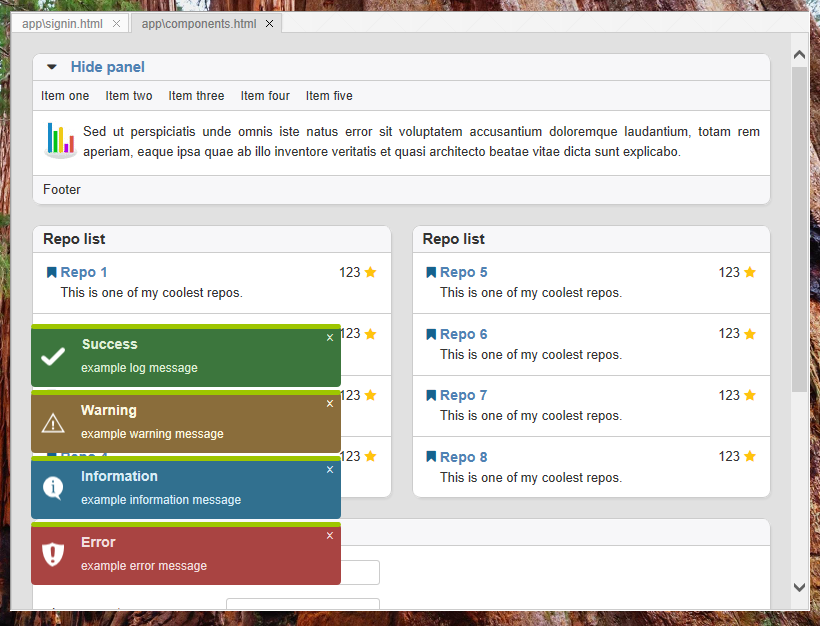
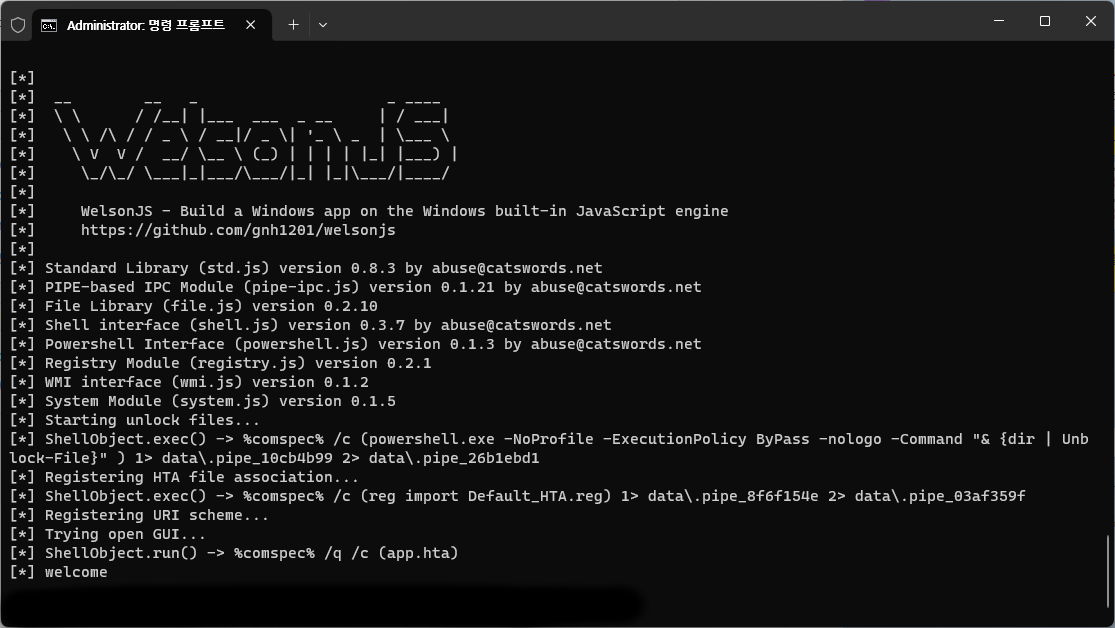
Screenshots
Thanks to
- ❤️ Artwork (Logo image): @druidesse
- ❤️ Artwork (Cover image): @_bag0@x.com
- 😎 Heavy-industry specialized CSP(Cloud Service Provider) in Republic of Korea - Use case establishment
- 😎 Live-commerce specialized online advertisement companies in Republic of Korea - Use case establishment
- 😎 Information security companies in Republic of Korea - Use case establishment
- 👀 Facebook Group "Javascript Programming"(javascript4u)
- 👀 morioh.com
- 👀 CSDN
- 👀 Qiita - Knowledge-base about WSH environment
- 😎 Redsky Software - PoC(Proof of Concept) of the CommonJS on WSH environment
- 😎 Inspired by a small-sized JavaScript payload demonstrated by a cybersecurity related group.
- 😎 Inspired by the use of Named Shared Memory in an inter-language IPC implementation devised by an unidentified developer.
- 👀 Fediverse
- 👀 Hacker News
- 👀 WebToolsWeekly
- 👀 GeekNews in GeekNews Weekly (2024-09-30 ~ 2024-10-06)
- 👀 daily.dev
- 👀 PitchHut
Related links
- gnh1201/wsh-js-gtk - GTK GUI ported to Windows Scripting Host - Javascript (Microsoft JScript) (wsh-js)
- gnh1201/wsh-json - JSON stringify/parse (encode/decode) for Windows Scripting Host
- redskyit/wsh-appjs - require-js and app framework for Windows Scripting Host JavaScript
- JohnLaTwC's gist - JavaScript RAT
- JSMan-/JS-Framework - No description
- iconjack/setTimeout-for-windows-script-host - Replacement for the missing setTimeout and clearTimeout function in Windows Script Host
- johnjohnsp1/WindowsScriptHostExtension - Inject DLL Prototype using Microsoft.Windows.ACTCTX COM Object
- kuntashov/jsunit - JSUnit port for Windows Scripting Host
- nickdoth/WSHHttpServer - HTTP server based on Windows Script Host
- joncasey/modern-hta - Run modern code in an HTML Application
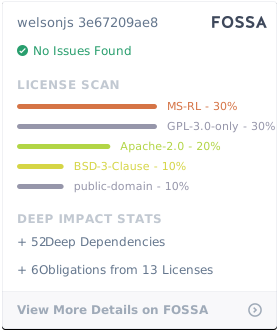
- FOSSA report HTML CSV TXT
- License attributions of a stock images
Report abuse
Join the community
I am always open. Collaboration, opportunities, and community activities are all welcome.
- ActivityPub @catswords_oss@catswords.social
- XMPP catswords@conference.omemo.id
- Join Catswords OSS on Microsoft Teams (teams.live.com)
- Join Catswords OSS #welsonjs on Discord (discord.gg)
Special channels
- A paid consultation channel (m.expert.naver.com) is available for Korean (한국어) region.
- Join the private operations channel (forms.gle) is available for all regions.
License